Beta · testing next

Product and label literacy

Understand the product in front of you.

Scan a barcode or photograph a visible label to organize product facts, cautions, limitations and source context.

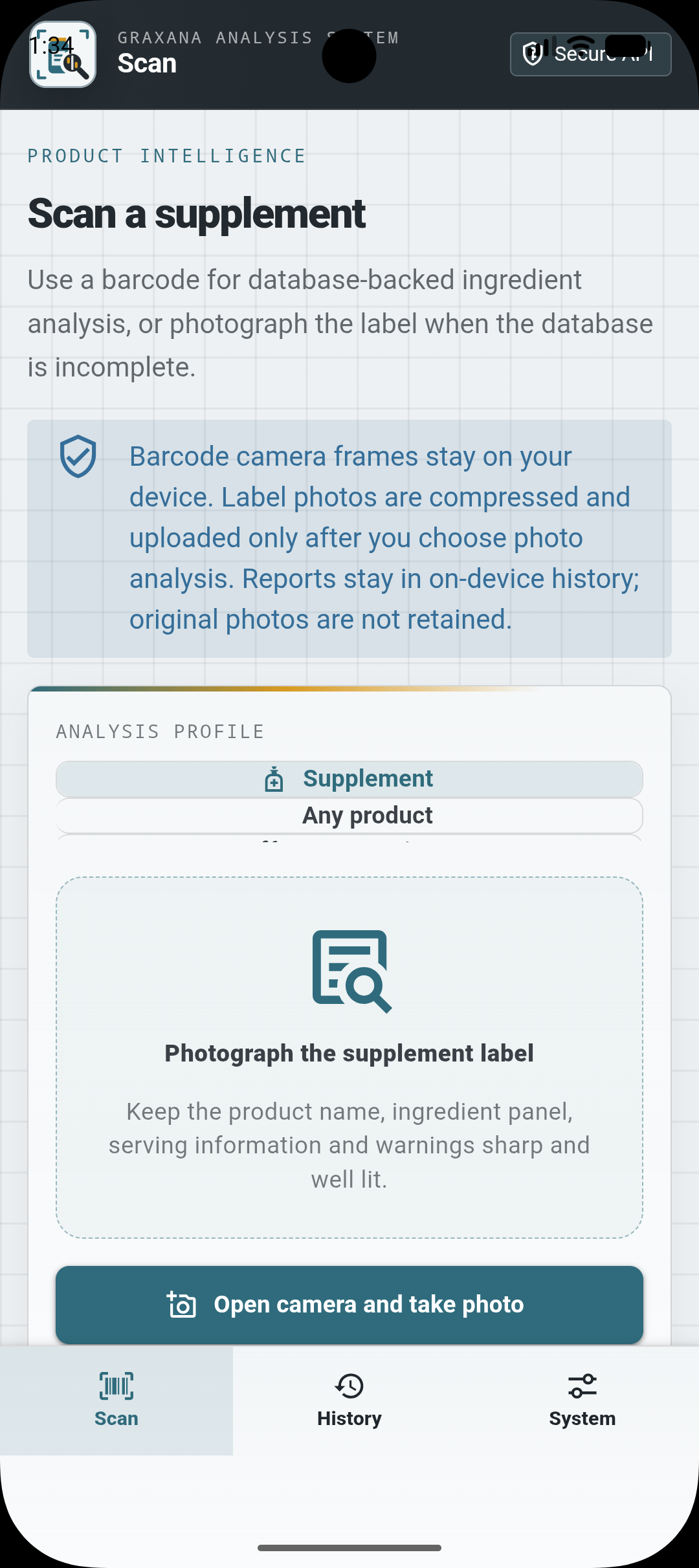
Grax Scanner supplement scan with analysis profile and label-photo capture

See it in action

One focused flow, from start to useful result.

Explore label capture, barcode lookup, report history and local data controls.

Grax Scanner supplement scan with analysis profile and label-photo capture
01Photograph a label
Grax Scanner barcode entry with camera scanner and demo supplement options
02Or scan a barcode
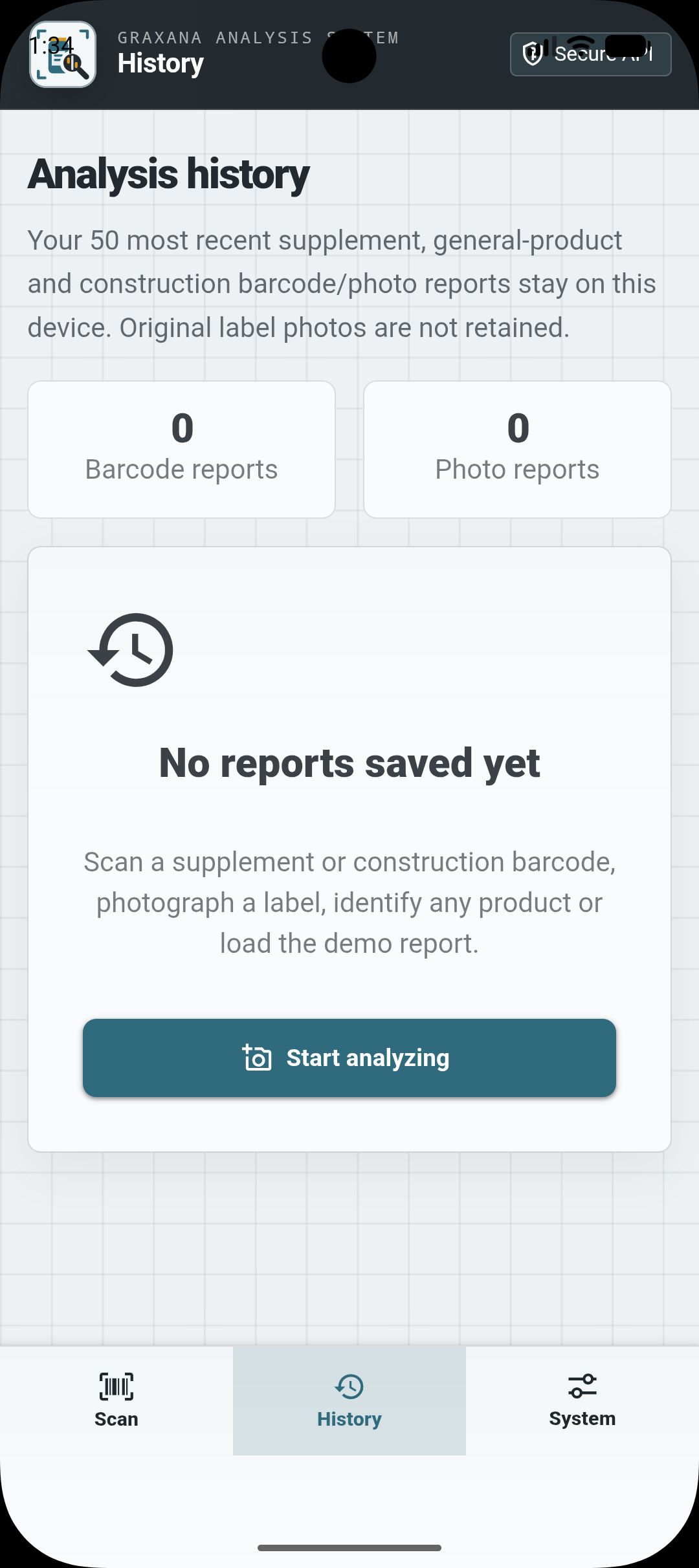
Grax Scanner analysis history with barcode and photo report tabs
03Find reports in history
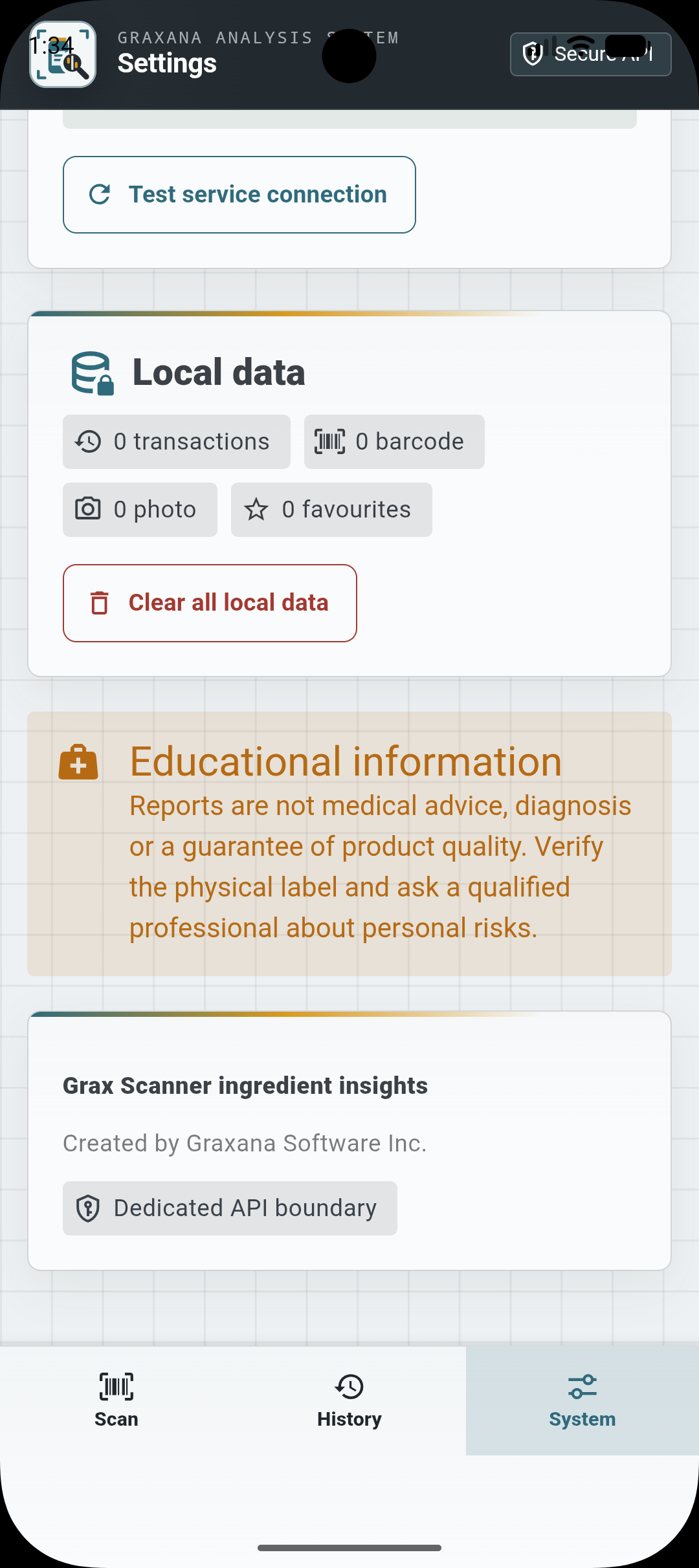
Grax Scanner settings with local data controls and educational information
04Manage local data

Features

Built around the moments that matter.

Feature 1

Flexible capture

Open the barcode scanner, enter a product code or switch to a package photo when needed.
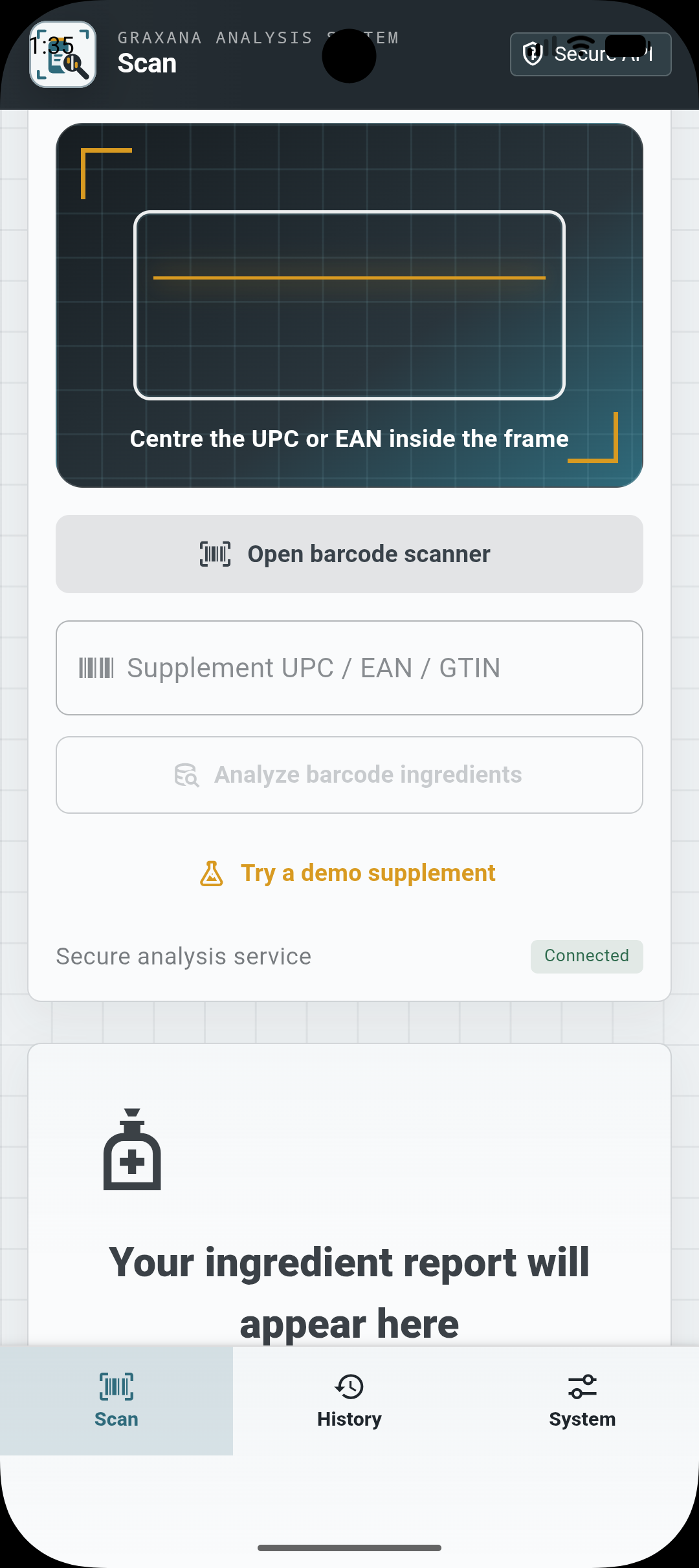
Grax Scanner barcode entry with camera scanner and demo supplement options

Feature 2

Reports in one place

Revisit recent analyses from the barcode and photo report tabs in History.

Grax Scanner analysis history with barcode and photo report tabs

Feature 3

Visible data controls

Review local data counts, clear saved data and read the educational limits from Settings.

Grax Scanner settings with local data controls and educational information

How it works

Simple enough to keep moving.

  1. 01

    Start with what you need

    Capture the label

  2. 02

    Follow the focused flow

    Review visible facts and sources.

  3. 03

    Keep the useful result

    Save or act with context

Privacy & boundaries

Clear by design.

Educational information only—not medical, engineering, trade or code-compliance advice.

Read the privacy policy

Availability

Stay close to the next release.

Graxana is building in focused stages and sharing progress with interested users.

Beta · testing next

FAQ & support

Questions about access, privacy or the product?

Visit support for common answers or contact the Graxana team.

Get support